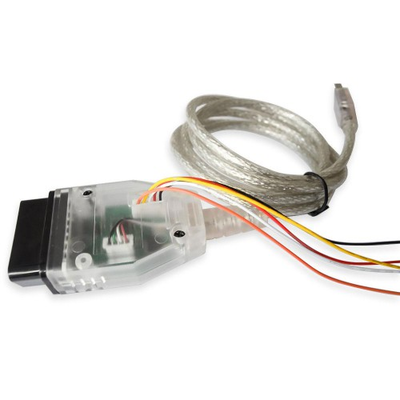

Product Code:
19282 Weight:0.24Kg| Weight | 0.24 Kg |
No filter; Not change meter; Security;
Software Download Link:
https://mega.nz/#!UbhD0YTI!GsKiU_fz1Z7bjkliL-5tZY0l2KNgKLAMi3BtrVIpDjI
Compatible car models:
W222: 2015~2017
W205: 2015~2017
C217: 2015~2017
C190: 2015~2017
C253: 2015~2017
X253: 2015~2017
W447: 2015~2017
W213: 2015~2017 (to be upgraded)
Note: for W205/W222 Car models before 2015, you can use the CAN Filter for Benz to adjust mileage extra to work together
Operation process:
Open Mercedes Odometer Correction Software;
First you must ensure that the vehicle battery is sufficiently charged. The process takes 30 to 60 minutes, so the vehicle must be fully charged!
The information display interface contains instructions for the entire procedure.
Instructions:
1. First use the <1 obd="" read="" config="" info=""> option to get the vehicle configuration information;
2. Reinstall the meter and write the vehicle configuration information with the <3 obd="" write="" config="" info=""> option;
3. Finally use the <4 obd="" read="" mileage=""> and <5 obd="" write="" mileage=""> options to read and write the kilometers.
4. Modifying the kilometers again is only required to operate in <4 obd="" read="" mileage=""> or <5 obd="" write="" mileage=""> steps!!!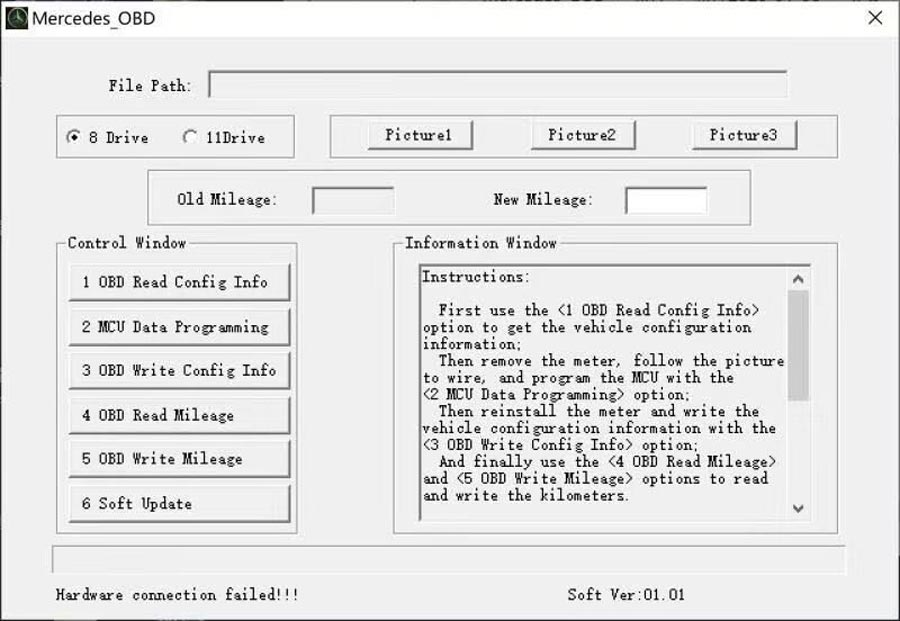
Note:
<1 obd="" read="" config="" info=""> and <2 obd="" write="" config="" info=""> communication takes 15-30 minutes, Please make sure the vehicle battery is sufficient! Before operating <2 mcu="" data="" programming="">, Please confirm whether the meter is 8-drive or 11-drive.
Step 1: OBD Read Configuration Information;
If Odometer Correction is supported, here are the tips:Make sure the vehicle battery is sufficient.
If Odometer Correction is not supported, here are the tips: For cars before 15 years, you need to add a filter, and then you can operate steps 4(OBD read kilometers) and steps 5(OBD write kilometers); cars after 17 years do not support Odometer Correction temporarily.
Take the calibration process of Benz 205 chassis instrument for 16 years as an example:
Step 1: OBD Read Configuration Information
Configuration data must be saved after successful reading!
Step 2: MCU Data Programming
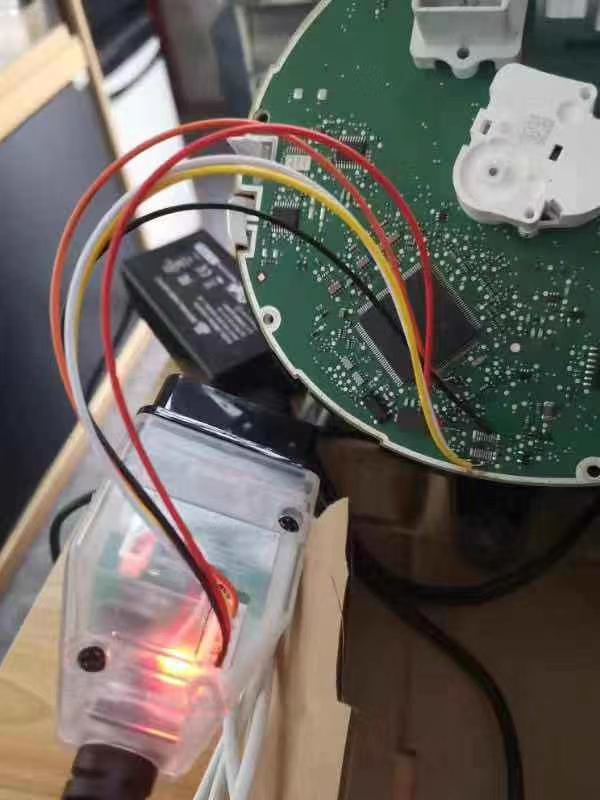
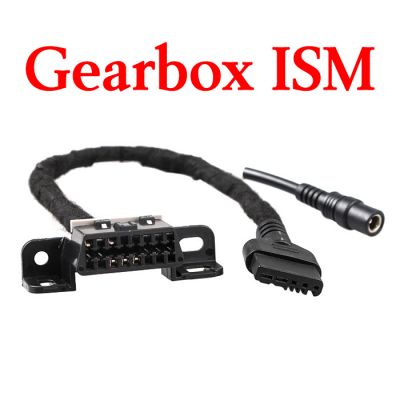
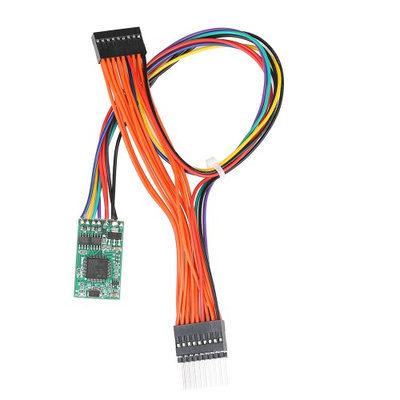
At this time, you need to remove the back cover of the dashboard, select the type, and select the wiring method according to the type. You can open the wiring diagram directly,there are 5 wires in total(as the picture). The meter is divided into 8-drive and 11 drive.Please confirm whether the meter is 8-drive or 11-drive.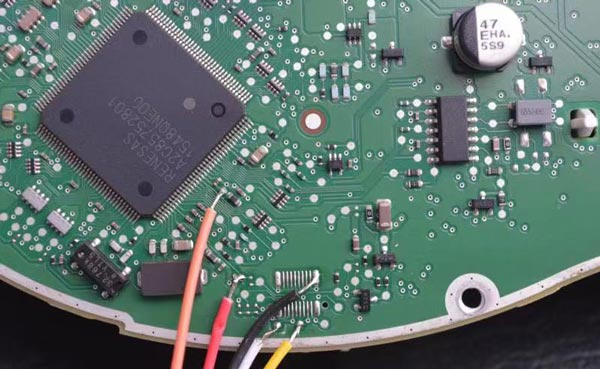
After connecting the wires according to the wiring diagram, perform the operation. If the MCU data is edited successfully, the wiring can be removed.
Step 3: OBD Write Configuration Information
The configuration information is the data read in the first step, and you can select the saved data at this time;
Then you can get the prompt that the vehicle configuration information is written successfully
Finally you can adjust the mileage
Use the <4 obd="" read="" mileage=""> and <5 obd="" write="" mileage=""> options to read and write the kilometers.
For example, we wrote the mileage of 12345;Then read it out is 12345km.
Look at the dashboard again, the kilometers are correct! The steps are complete!
LONGHUA DISTRICT SHENZHEN CHINA(PC.518109)




It is recommended that visitors in the United States and Canada visit the site deployed in North America, do you jump?