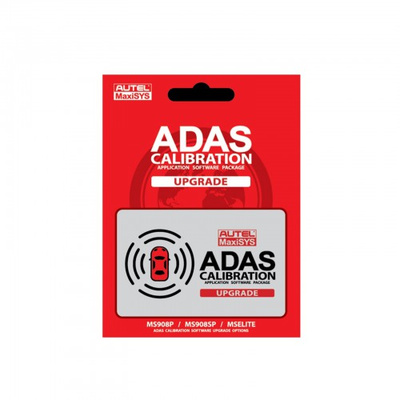
If you already have the MaxiSys Tablet, but you don’t have the Advanced Driver Assistance System (ADAS) application then you would need to buy this Software Application Upgrade to start Calibrating Camera, Radar, Lidar and Night Vision based systems. ADAS programming for anyone who already owns a MS908 or MSElite series scan tool.
Autel ADAS Software Upgrade Card for MS908, MSElite, MS909, MS919 and Ultra Tablets ADAS calibration upgrade card adds ADAS calibration application to MS908 series tablets and MSElite and it also supports MA600- 906BT and above, IA800/Maxisys models. It adds ADAS calibration functionality and includes calibration software for the ADAS system devices of adaptive cruise control, lane departure warning, blind spot monitoring, rear collision avoidance and night vision systems. Features & Benefits:1. Includes Calibration for major ADAS systems2. Includes Calibrations for LDW, ACC, BSM, NVS, AVM systems devices3. Includes detailed Calibration Instructions,precise illustrations and How-to videos4. Compatible with Autel Tablets Supports for ADAS Function: MS906TS, MS906BT, MS906 PRO, MS906 PRO-TS, MS908, MS908 PRO, MS908S, MS908S PRO, Elite, MS909, MS919 and Ultra.Notice:
1. To Activate the ADAS Software, The MaxiSYS Tablet Must Have a Current Update Subscription
2. Only suitable for the Autel devices that purchased from online dealer  2 Types of ADAS Calibration:1. Dynamic Calibration - this must be used with the target board. After opening the software, dynamic calibration can be used directly;2. Static Calibration - this needs supporting facilities (generally required for European models and Japanese and Korean models)How to Activate the ADAS Calibration:1) After your purchase, we will email an activation code.2) When activating the ADAS software on a tablet you will need to select which ADAS frame to use it with: "Portable" or "Complete". After the selection is made you cannot change it nor transfer it to another tablet, nor receive a refund.3) A MaxiSys tablet with ADAS can perform dynamic calibrations that do not require any ADAS hardware! Hardware for static calibrations is sold separately.4) NOTE: Adding the ADAS software to your tablet is a one-time fee. After activating the ADAS Application your tablet will begin to receive updates for ADAS as long as your regular update subscription is current.
Package Includes:
1pc x Autel ADAS Software Upgrade Card